VoiceCall
A voice broadcast platform that phones hundreds of people with a recorded message, run entirely from any phone's browser
The Problem
Community organisers still get the word out by phone: a ward meeting moved, a camp opening, a reminder on the day. Doing it by hand means an afternoon of dialling. The alternatives are cloud IVR subscriptions priced per minute and built for call centres, or a laptop running software the organiser can't operate.
The brief was a product, not a project: it switches on, it has its own line, and anyone with a smartphone runs it after one short walk-through: record a message, pick who hears it, prove it on your own phone, then press and hold to call everyone.
The Product
VoiceCall is a complete voice broadcast platform: contact groups, multi-language messages, scheduling, live call tracking, SMS follow-up and per-person reports, all behind a login on a mobile web dashboard. It feels like a SaaS product, but it runs on the organiser's own line: there is no per-minute platform fee, no telephony account to keep alive and no call-centre software to learn.
Under the dashboard sits a call engine I built to run unattended: it places the calls, carries the voice both ways (our message down the line, whatever comes back from the far end), and reports every call's stage to the screen in real time.
How a Broadcast Works
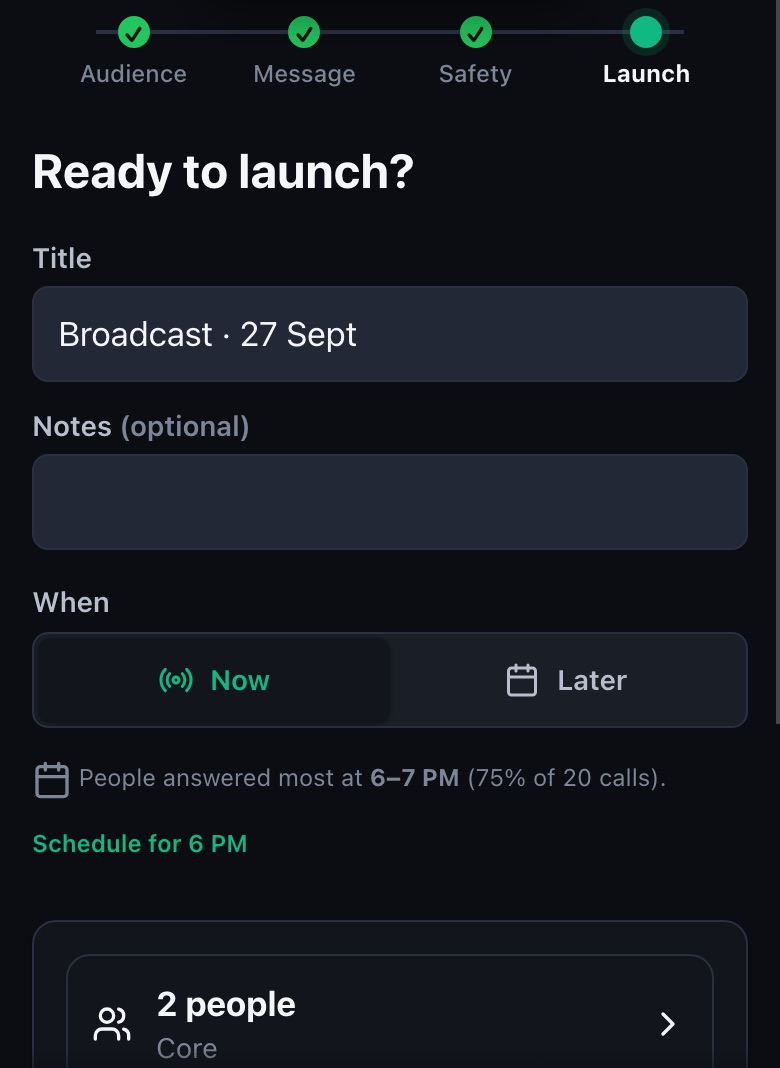
The operator scans a QR code, logs in, and follows four steps: Audience → Message → Safety → Launch.
- Audience: pick groups of people, untick anyone inside a group, or add a number by hand. Do-not-call people can't be selected.
- Message: record in the browser, upload audio, or type text for speech. Each language gets its own recording and each person hears theirs.
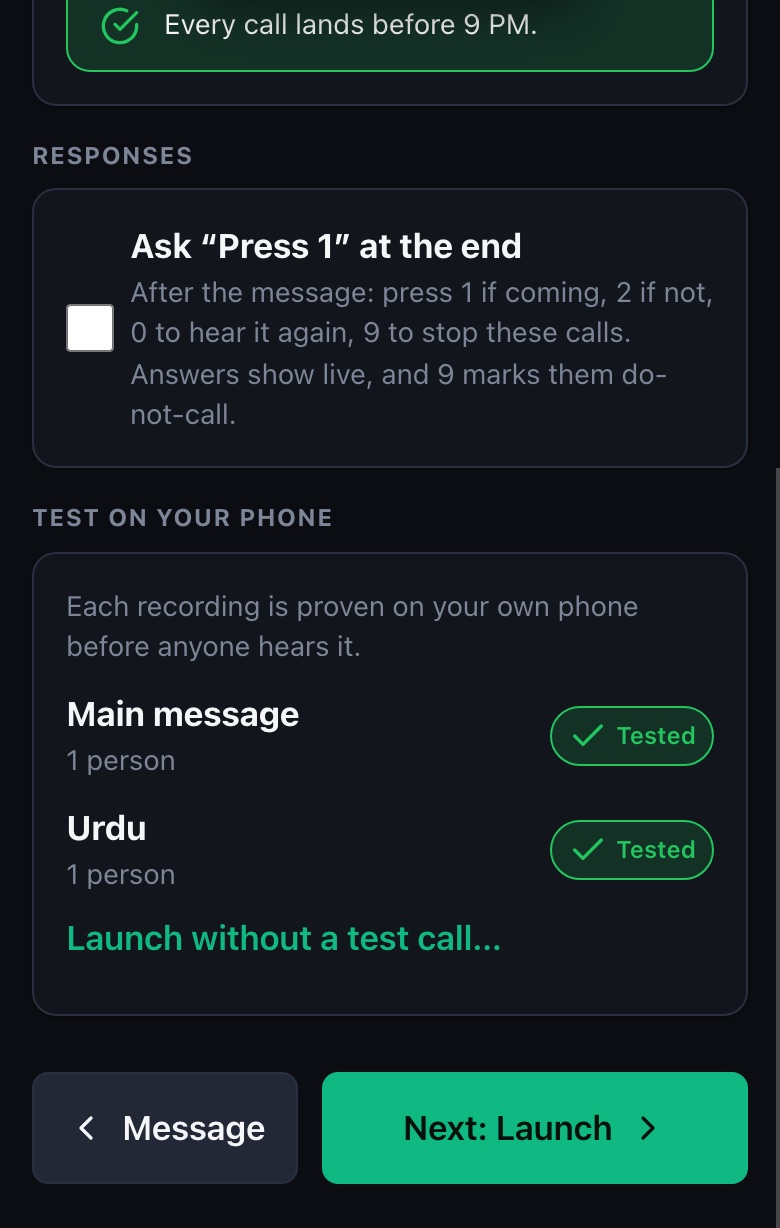
- Safety: every recording is test-called to the operator's own phone before anyone else hears it. Calling hours, the estimated finish time and an optional "Press 1 if coming" are all set here.
- Launch: hold to call, now or at a scheduled time, once or on repeat. The launch screen suggests the hour people answered most in past broadcasts.
After the Call
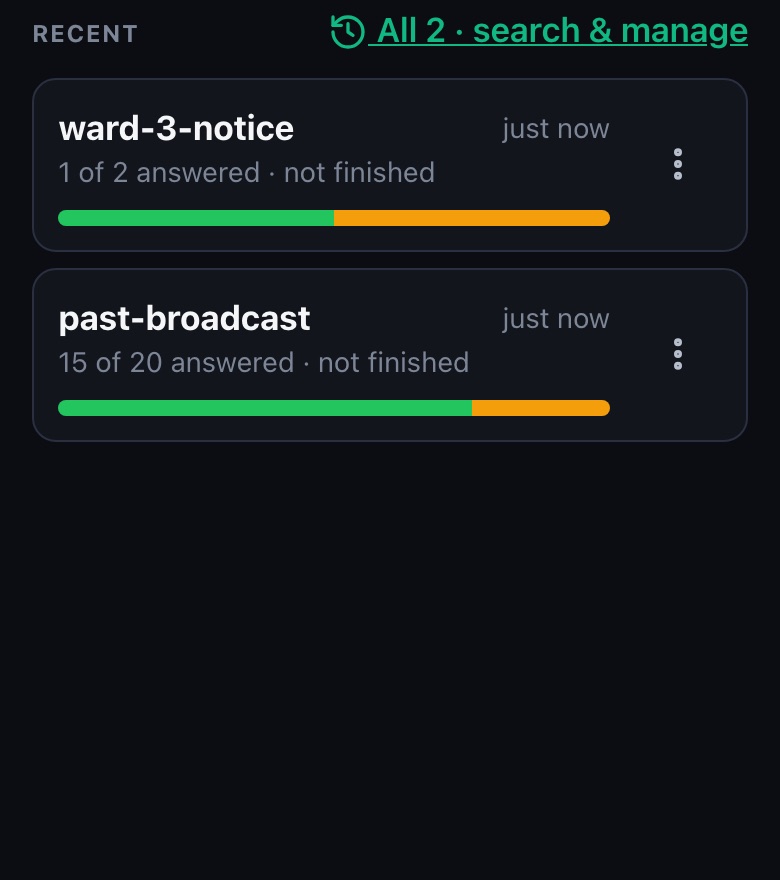
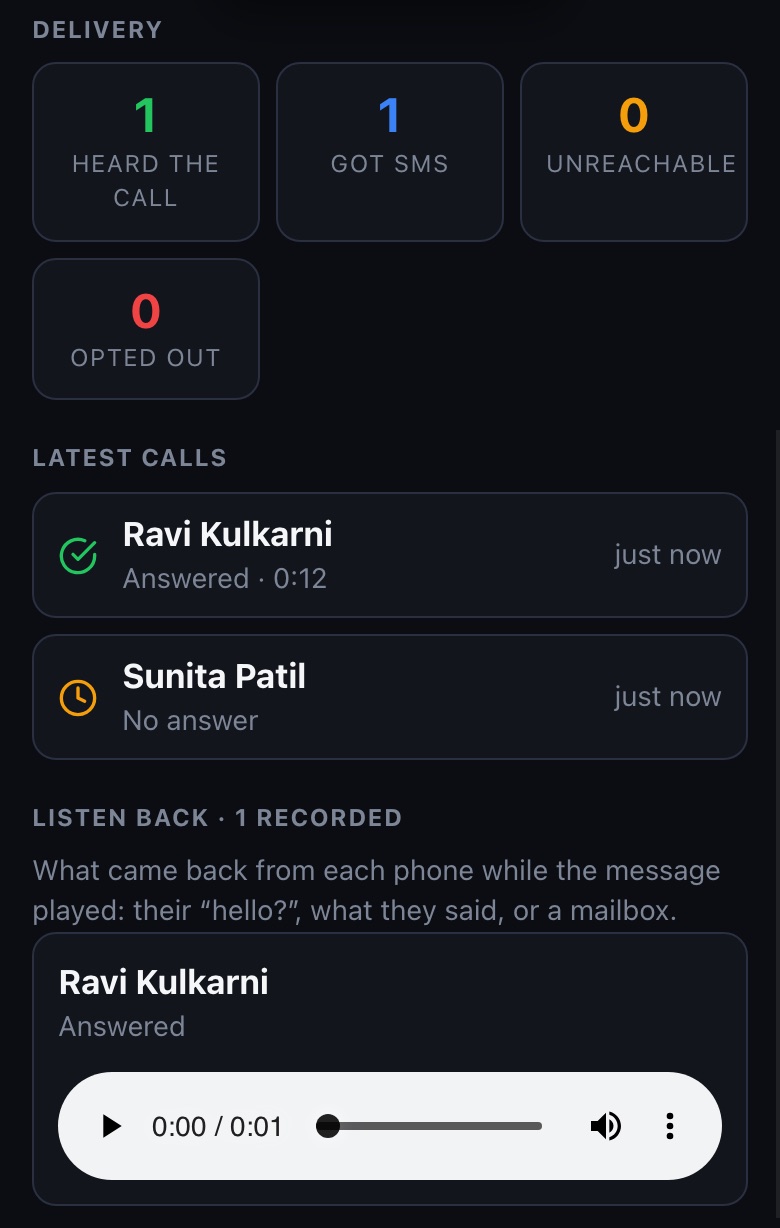
The broadcast screen goes live while calls run: Dialling, Ringing with a timer, Answered and playing. It then freezes into the report. Every call is logged in SQLite with how long it rang, how much of the message was heard, and any key pressed. The report separates people who confirmed with a keypress from answered-but-unconfirmed, catches voicemail by listening for the mailbox beep, and texts the people the call never reached as a one-tap SMS fallback. Listen back plays each person's side of the call, so the organiser hears the reaction, not just a green tick.
Where the AI Is
VoiceCall runs as an agent loop you can leave alone: give it a goal ("reach these 300 people with this message tonight") and it plans, acts, checks the result and recovers without anyone watching. Most of that loop is deliberately not a language model. On a system that answers to the phone network, every decision has to be predictable, testable and explainable to the organiser afterwards.
An organiser can type the announcement instead of recording it. Gemini text-to-speech turns the text into a spoken message in the chosen voice, one per language, and the platform converts it to telephone-quality audio. It's one lean HTTPS call with no SDK, so it works even on a metered connection. The generated audio still has to pass the same Safety step as a human recording: it's test-called to the organiser's own phone before anyone else hears it.
- Perceive: the call engine publishes each call's stage (dialling, ringing, answered, playing), and a signal detector listens to the far end for a voicemail beep. Carrier status can't tell a mailbox from a person, but the beep can.
- Decide: it keeps to calling hours, blocks a launch when its own health check finds the audio path isn't ready, and suggests the hour people answered most in past broadcasts.
- Act and recover: it retries unanswered and busy numbers, texts the people the call never reached, and after a power cut resumes the broadcast on its own and tells the operator by SMS.
A model deciding who to call, or when, is a model that can call the wrong person at 11pm. The generative step sits where a mistake is caught by a human before it ships, and every autonomous step is a rule with a test. This is the same line I draw on enterprise agentic systems: autonomy where the outcome is verifiable, and a human gate where it isn't.
Technical Decisions
Cloud IVR bills per minute and is built for call centres. Owning the line means a broadcast to 300 people costs the same as the organiser's phone plan. The price was engineering: reliable two-way audio, and treating the phone network as something that sometimes glitches. When the audio path isn't healthy, every launch is blocked rather than calling people with dead air.
The dialer, the dashboard and the SMS inbox all need the same line. A single engine owns it and publishes the call stage, so nothing interrupts a call in progress and the Live screen always knows whether we're dialling, ringing or playing.
The operator's phone is the whole interface: a PIN or password login, a service worker for an instant shell, and nothing to install. Every screen is driven end to end in real Chrome by the test suite at phone and desktop widths.
Where It Stands
Real calls have gone out to real phones from the production build. Next is the field day: 25+ real people, one broadcast, measured end to end.